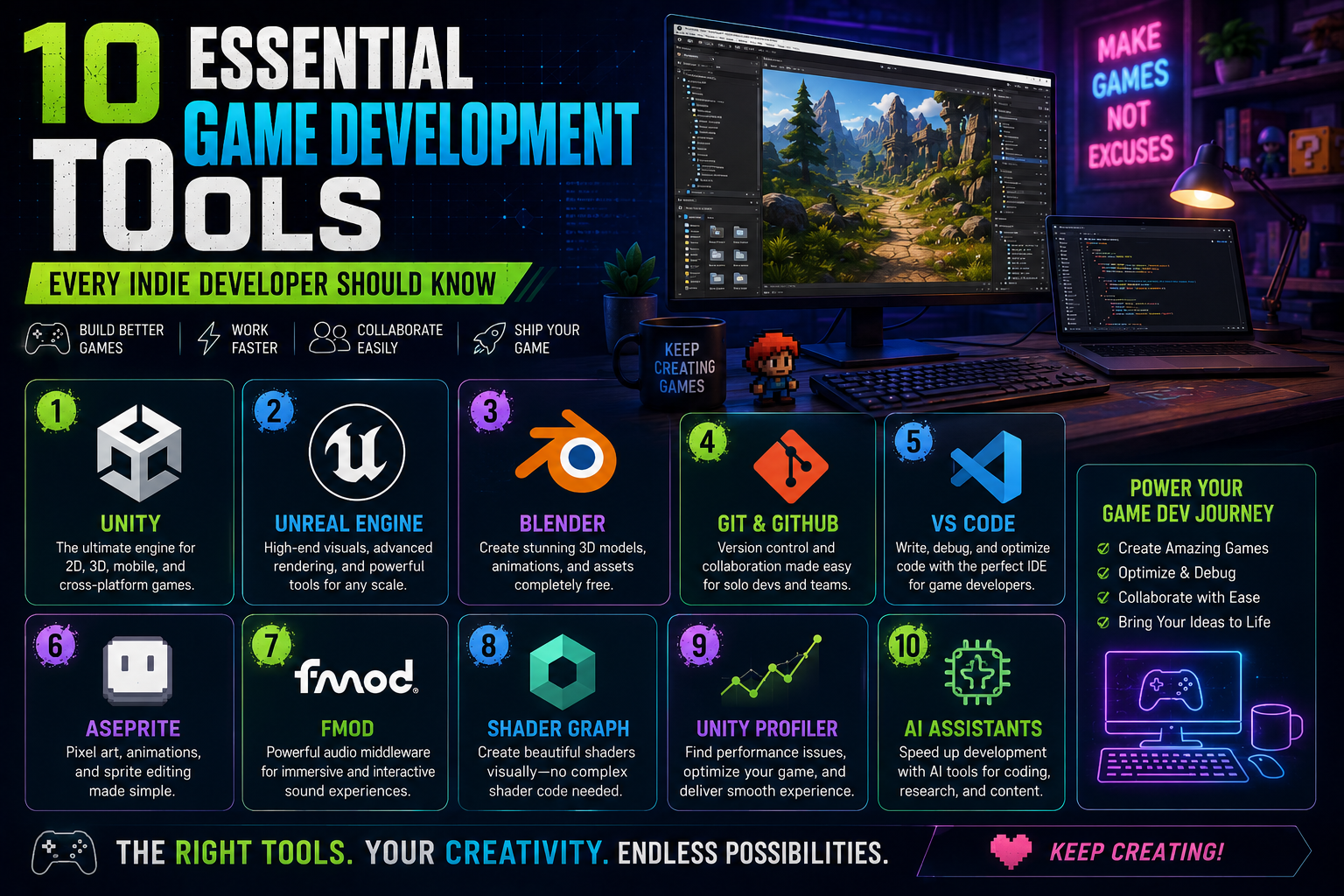
Game development is no longer limited to large studios with huge teams and expensive technology. Today, a small team—or even a solo developer—can create and publish a complete game using a powerful collection of accessible tools.
The challenge is knowing which tools are actually worth learning.
Here are some of the most useful tools for modern game developers.
1. Unity
Unity Technologies’s Unity is one of the most widely used game engines, particularly for indie, mobile, AR/VR, and cross-platform development.
It provides tools for:
- 2D and 3D games
- C# programming
- Physics
- Animation
- UI
- Multiplayer
- Shader Graph
- Visual effects
- Mobile development
- WebGL
For developers already comfortable with C#, Unity can be an excellent starting point.
2. Unreal Engine
Epic Games’s Unreal Engine is particularly popular for high-end 3D games and cinematic experiences.
Its major strengths include:
- Nanite
- Lumen
- Niagara
- Blueprints
- World Partition
- MetaHuman
- Advanced animation systems
Unreal Engine 5.8 introduced further improvements to worldbuilding, terrain, vegetation, animation, performance, and content creation.
3. Blender
Blender is an extremely powerful open-source 3D creation tool.
Game developers can use Blender for:
- Modeling
- Rigging
- Animation
- UV mapping
- Texturing
- Sculpting
- Rendering
For indie developers, having Blender skills can significantly reduce dependence on external asset creators.
4. Git and GitHub
Version control is essential when working on a serious game project.
Git allows developers to track changes and recover previous versions of their project.
GitHub adds collaboration and project-management capabilities around Git repositories.
A typical workflow might look like:
Unity Project
      ↓
     Git
      ↓
   GitHub
      ↓
Backup + Collaboration
This becomes especially important when working with a team.
5. Visual Studio / VS Code
A game developer spends a significant amount of time writing and debugging code.
Tools such as Visual Studio and Visual Studio Code provide:
- C# development
- Debugging
- IntelliSense
- Git integration
- Extensions
- Refactoring
- Code navigation
For Unity developers, a good IDE can dramatically improve productivity.
6. Aseprite
If you’re creating pixel-art games, Aseprite is one of the most useful tools to have.
It supports:
- Pixel-art drawing
- Sprite animation
- Tilemaps
- Sprite sheets
- Layers
- Onion skinning
For a 2D pixel-art project, it can become part of the core development workflow.
7. FMOD
Audio is often overlooked during early development, but sound has a major impact on player experience.
FMOD provides sophisticated tools for interactive game audio.
You can create systems for:
- Dynamic music
- Footsteps
- Combat sounds
- Environmental audio
- Adaptive soundtracks
- Audio states
8. Unity Profiler
Creating a game that runs is only the beginning.
Creating a game that runs well is another challenge.
Unity’s Profiler can help identify:
- CPU bottlenecks
- GPU problems
- Memory usage
- Garbage collection
- Rendering issues
- Slow scripts
Profiling should become part of your development process rather than something you only do when the game starts lagging.
9. Blender + Unity Pipeline
A powerful workflow for indie developers is combining Blender and Unity.
For example:
Blender
   ↓
Model
   ↓
UV + Materials
   ↓
Animation
   ↓
Export
   ↓
Unity
   ↓
Gameplay
This allows one developer to handle both asset creation and programming.
10. AI Development Tools
AI-assisted development is becoming increasingly common.
Developers can use AI tools for:
- Brainstorming mechanics
- Debugging code
- Writing documentation
- Generating prototypes
- Creating placeholder assets
- Research
- Automating repetitive tasks
However, AI should be treated as a development assistant, not a replacement for understanding your own code and systems.
Building Your Own Game Development Toolkit
You don’t need to learn every tool.
A practical indie developer stack could be:
Game Engine: Unity
Programming: C#
3D: Blender
2D: Aseprite
Version Control: Git + GitHub
Audio: FMOD
Shaders: Shader Graph
Documentation: Markdown / Notion
AI: AI coding and research assistants
The best toolset is the one that allows you to move from idea → prototype → production → release efficiently.
Final Thoughts
Game development tools should make development easier—not create another learning burden.
Start with a small set of tools and become highly comfortable with them. As your projects become more complex, gradually introduce specialized tools where they solve a real problem.
For indie developers, the ability to combine several tools into a reliable workflow can be more valuable than mastering a single piece of software.